

Blog / GMC Dealer

How to Reset GMC Sierra Screen Without a Wipe

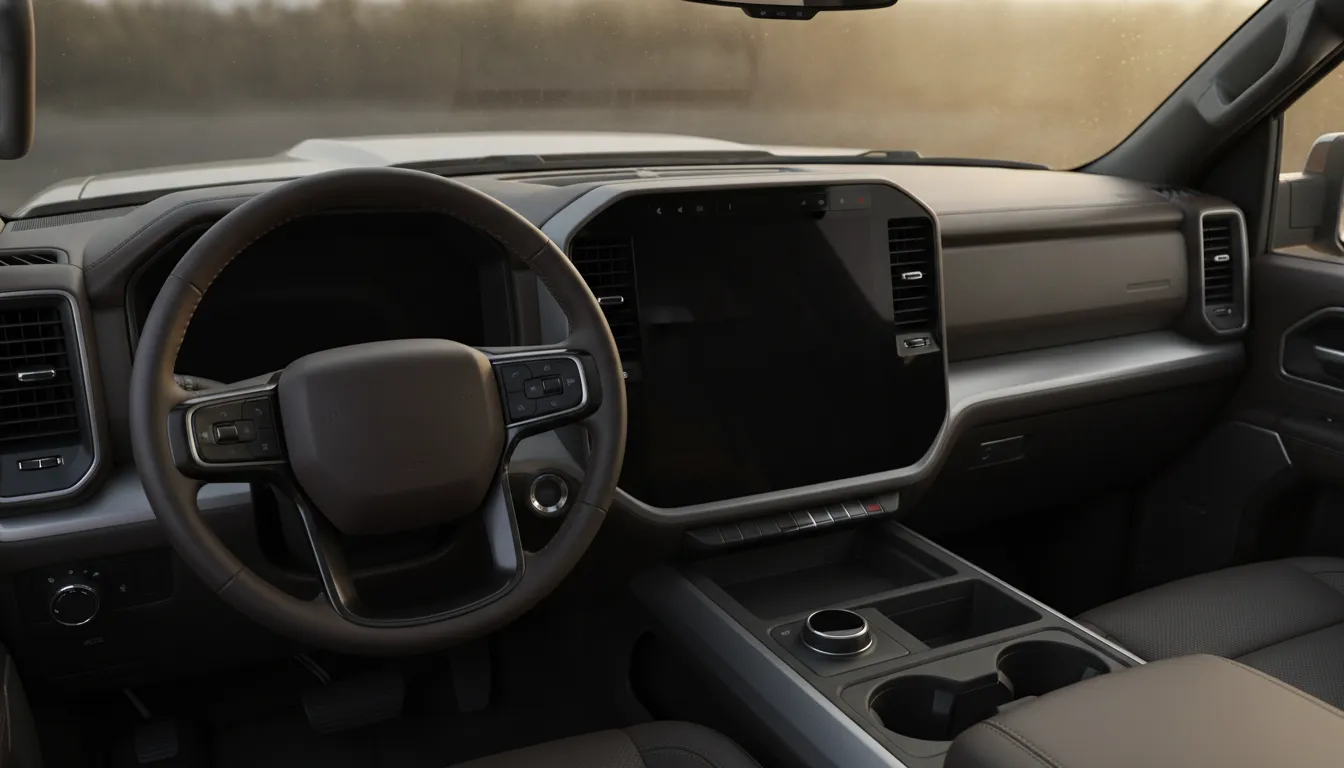
Driver view of a GMC Sierra cabin, with the center screen and steering-wheel controls used for a screen reset

If you need to know how to reset GMC Sierra screen issues, start with the truck in Park. On 2025 and 2026 Sierra 1500 and Sierra HD models, the owner manual reboots the infotainment system from the steering wheel. Hold the mute/end call button for 15 seconds. Let the display come back before you change any settings.

Call (503) 513-4640 to ask Auto Town GMC about a stuck Sierra screen

How to reset GMC Sierra screen

The safe reset is a reboot, and it has one condition. The vehicle has to be in Park. The 2026 GMC Sierra 1500 owner manual and the 2026 Sierra HD owner manual use the same line. While the vehicle is in Park, press and hold the mute/end call button on the steering wheel for 15 seconds to reboot the infotainment system. The 2025 Sierra 1500 manual uses that same hold.

Pull over somewhere safe first, because fixing a frozen map while the truck is moving is a bad trade. Set Park, and leave the engine running if it already is. You do not need a Settings menu while the glass is locked up. The control sits on the steering wheel, and it is the same button that mutes a call.

Hold it steadily for the full 15 seconds. A short press only mutes the audio. If you let go early, nothing reboots. When the hold is long enough, the center display should drop out and start again. Audio, the map, and phone projection can lag behind the picture. Give the system a minute before you call the reset a failure.

If Apple CarPlay or Android Auto was on screen, open it again after the reboot. The phone usually stays paired. The session often has to reconnect. Try the truck's own radio once, then go back to the phone. That tells you whether the display recovered even if the phone app is slow.

  1. Stop in a safe place and shift to Park.
  2. Find the mute/end call button on the steering wheel.
  3. Press and hold that button for 15 seconds.
  4. Release it and wait for the infotainment system to restart.
  5. Reconnect your phone only after the home screen is responsive.

That sequence is the whole first attempt. Do not add button combos from a video about a different GMC year. The 2025 and 2026 manuals are specific, and the steering-wheel hold is the step they name.

What the reboot changes, and what it leaves alone

The 15-second hold restarts the infotainment system when the touchscreen is frozen, slow, or stuck on one view. It is the right first move for a hung display, but it is not a factory wipe. It is also not a fix for every light in the instrument cluster.

The same manuals describe a different path under Settings. Reset Options can lead to "Erase Infotainment Data." That submenu is only available when the profile signed into the truck is an admin. Return to Factory Settings is the menu that resets infotainment settings in the vehicle. Those choices clear preferences you set on purpose.

Skip them on the first try. A reboot is enough for a stuck screen. Erasing data makes sense only after a clean restart and the problem comes back. Even then, do it when you have time to rebuild favorites, profiles, and phone connections. If you are not sure you are on an admin profile, leave Erase Infotainment Data alone.

People also mix up the reboot with the power control on the center stack. On these trucks, that control turns the system on, and it mutes or unmutes when the system is already on. Press and hold, and it can show a power-off screen, or the option to show one. Turning the picture off is not the same as the 15-second reboot. If the glass is black but the truck is fine, press the power control once to wake it, then use the steering-wheel hold if the picture is frozen rather than simply off.

Older Sierra guides sometimes say to hold a power knob on the radio face. The 2025 and 2026 owner manuals do not use that path for a reboot. Radios also differ by trim. A base radio and an uplevel radio do not share every menu. If your truck is an earlier Sierra, open the guide in the glovebox before you follow steps written for another model year.

GMC's infotainment and radio support is the reference for profiles, favorites, and audio once the screen answers again. A normal reboot should leave those setups in place. A factory settings reset will not.

Check the simple causes before you erase settings

A lot of "dead screen" complaints are not a failed radio. Walk through the boring checks before you wipe anything. They take a few minutes, and they keep you from erasing a profile you still want.

Start with the phone hardware around the dash. A mount, a thick cable, or a suction cup pressed into the bezel can make one corner of the glass feel dead. Move that gear and try the screen again. Then try a different finger position. A screen that works everywhere except under a mount is a hardware interference problem, not a software one.

Heat is the next usual suspect. A closed cabin on a hot Portland afternoon can slow a display. Crack the windows or run the fan, let the truck cool, and repeat the Park reboot. Cold mornings can do the opposite. The picture may lag for a minute after startup. Give it that minute before you hold the mute button.

Look at what else the truck is doing. If only the center display is odd, and the gauges, windows, and locks are normal, stay with the infotainment reboot. If windows, locks, and the screen all misbehave together, stop the driveway experiments. That pattern is bigger than a hung radio, and a fuse pull in a parking lot is not the owner-manual fix.

Phone projection deserves its own pass. Reboot the screen first. Then unlock the phone, unplug it or forget the wireless session, and connect again. Try the built-in FM radio in between. If the truck's own audio and map work, and only one phone fails, the truck screen may be fine. Try a second phone before you book a visit for the display.

Software updates are another reason to pause. The owner manual points over-the-air software updates to Settings, under Updates, when the truck is equipped. Do not start an update from a frozen screen. Reboot first. If an update is already in progress, let it finish instead of interrupting it with another hold. If you are unsure whether an update is running, waiting a few minutes is safer than repeating the button hold.

What you seeTry this firstStop and get help if
Screen frozen, audio still playing.Park, then hold the steering-wheel mute/end call button for 15 seconds.The display never restarts, or it freezes again within a few minutes.
Screen black, truck otherwise normal.Press the center-stack power control once, then try the 15-second reboot.The screen stays black after a reboot and a full key cycle.
CarPlay or Android Auto will not load.Reboot the screen, confirm truck audio works, then reconnect the phone.Projection fails on more than one phone after a clean reboot.
Menus look wrong after a glitch.Reboot first. Use Return to Factory Settings only if the problem returns.Erase Infotainment Data asks for an admin profile you do not have.
Screen, locks, and windows all act up.Park safely and skip the fuse pull.Several electrical features fail at the same time.

How to reset GMC Sierra screen problems that come back

One clean hold is the test. If the picture returns and stays usable, you are done, and you do not need a second reset just to make sure. Extra reboots do not improve a system that already recovered.

If the first hold did nothing, check your hands before you change tactics. Were you on the mute/end call button, or on a volume switch? Did you hold for a full 15 seconds, or closer to five? Volume up and down will not reboot the system. A brief mute will not either.

Try the hold once more, still in Park. If it still does nothing, use a key cycle. Turn the truck off. Open the driver door so the truck goes to sleep. Wait about a minute. Start it, confirm it is in Park, and repeat the 15-second hold.

Do not disconnect the battery to force a reset. That can disturb other vehicle settings, and it is not the procedure in the Sierra owner manual. Leave fuses alone for the same reason. If two reboots and a key cycle do not bring the display back, the next useful step is a technician with GM tools, not a deeper driveway experiment.

Write down what you saw before you call. Note the model year, whether it is a Sierra 1500 or a Sierra HD, and whether audio kept playing. Also note whether the backup camera dropped, and what happened after the 15-second hold. Those details give the advisor a head start.

When the Sierra screen needs the service lane

Bring the truck in when a reboot does not stick. A screen that boots straight to black is past a button hold. So is a display that restarts on its own while you drive. Loss of sound and the backup-camera image together is the same kind of stop sign. So is a touchscreen that works in some areas and is dead in others after you have moved every mount and cable.

Auto Town GMC is a family-owned GMC dealer at 19495 SE McLoughlin Blvd in Gladstone. The store has served the Portland metro area for over 20 years, including Milwaukie, Oregon City, Lake Oswego, and Clackamas County. The service department offers GMC Certified Service and genuine GM parts. The public goal is to fix the vehicle right the first time at competitive prices. That is a standard the shop works toward, not a promise about how fast a screen diagnosis will finish.

Call Auto Town GMC at (503) 513-4640, or start from the GMC service department page. Ask the service advisor for the current service-lane hours when you book. Tell them the screen story in one pass: year, 1500 or HD, what you held, and what the display did next.

There is no guarantee the visit will be the same day, or that every blank screen is a quick software reload. Some concerns need a part. Some need a deeper look at the truck's electrical system. What the shop can do is test the system properly instead of guessing from a forum post.

Trying the screen before you buy a Sierra

If you are shopping rather than fixing a truck you already own, the display is worth a few minutes on the lot. A healthy screen should wake, respond to a touch, and mute from the steering wheel without a long delay. Pair your phone. Open the map. Switch back to FM. Those three checks tell you more than a spec sheet.

Auto Town GMC keeps new GMC Sierra 1500 trucks in Gladstone, plus Sierra HD models if you need a heavier truck. The 2026 GMC Sierra 1500 overview is a plain walkthrough of the current light-duty truck before you compare trims in person. Inventory changes, so call before you count on one cab or one audio setup being on the ground.

The sales line is (503) 513-4640. If you want numbers ready before the drive, get pre-qualified and then schedule a test drive. Vehicle-specific questions are the useful ones. Ask which Sierra you can sit in, and ask to try the screen with your own phone.

Owners who already have a Sierra do not need a new truck to solve a frozen display. Use the Park reboot first. Use service if that reboot does not hold. The dealership can look at the truck you drive now, and you can look at another Sierra only if that is actually the decision in front of you.

Call (503) 513-4640 if the screen will not come back after a Park reboot, or see the GMC Sierra 1500 at Auto Town GMC.

FAQ

How do you reset GMC Sierra screen problems?

On 2025 and 2026 Sierra 1500 and Sierra HD trucks, put the vehicle in Park. Press and hold the mute/end call button on the steering wheel for 15 seconds. The owner manual says that hold reboots the infotainment system. Wait until the display is responsive before you open Settings.

Will a screen reboot delete my radio stations?

The 15-second reboot restarts the system. It is not Return to Factory Settings, and it is not Erase Infotainment Data. Those Settings choices reset stored infotainment settings. Erase Infotainment Data is only there when the signed-in profile is an admin. Reboot first, and leave the erase menu alone unless the problem returns.

Why is the picture frozen while the radio still plays?

The display and the audio path do not always fail together. A frozen picture with sound still playing is a common reason to use the steering-wheel reboot. If sound, the backup camera, and the touchscreen all drop at once, stop the driveway tests and schedule service.

Can I reset the screen while I am driving?

No. The manual's reboot step starts with the vehicle in Park. A stuck screen is already a distraction. Pull over safely, set Park, and then hold the mute/end call button for 15 seconds.

What if the 15-second hold does nothing?

Confirm you held the mute/end call button, not a volume switch, for the full 15 seconds. Try the hold once more in Park. If it still fails, turn the truck off, open the driver door, wait about a minute, start it, and try again. After that, schedule service instead of pulling fuses or disconnecting the battery.

Where can I take a Sierra screen that will not reboot?

Auto Town GMC in Gladstone can check GMC infotainment concerns through GMC Certified Service. Schedule service online or call (503) 513-4640. Have the model year ready, say whether it is a 1500 or an HD, and describe what the screen did after the 15-second hold.
Posted in:

Related Posts

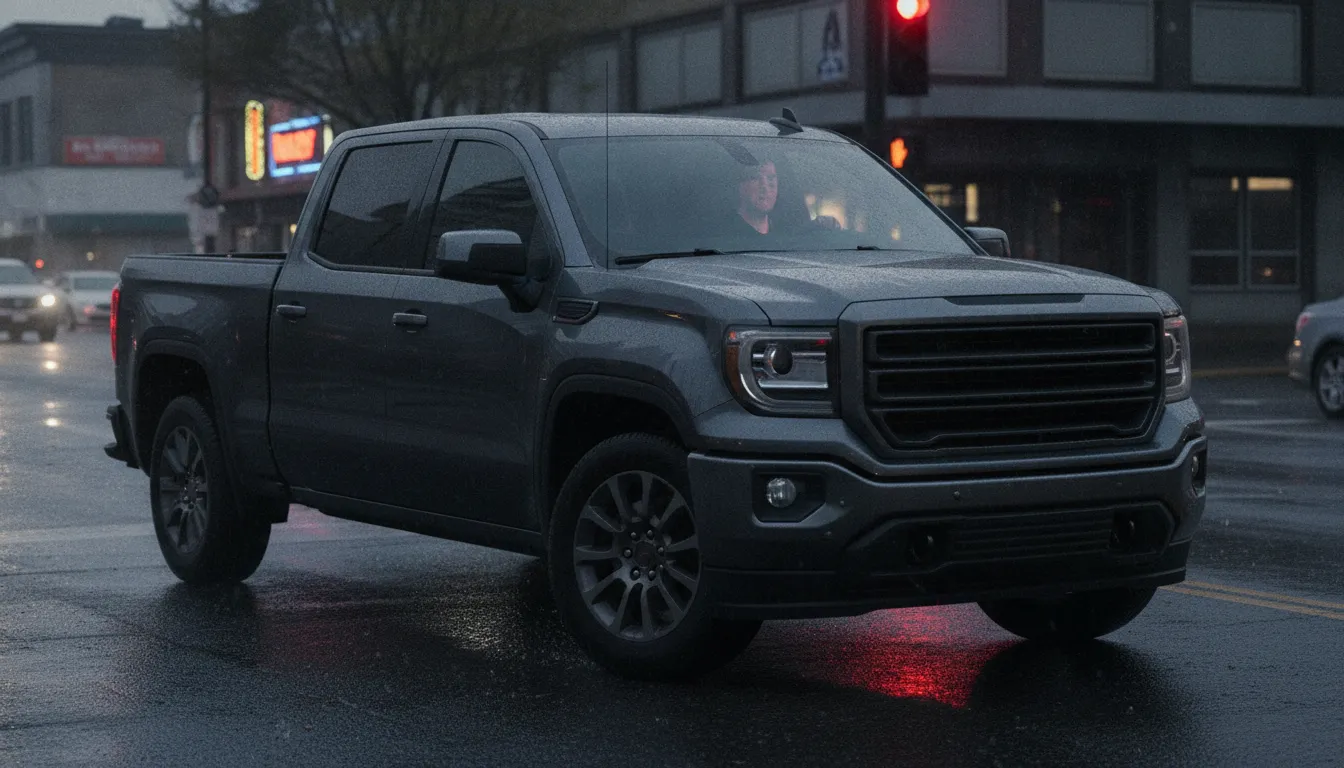
Gray crew-cab pickup waiting at a red light on a wet street at dusk

How to Permanently Turn Off Auto Stop GMC Sierra

Looking up how to permanently turn off auto stop gmc sierra usually starts at a red light. The engine goes quiet. The tachometer sits on AUTO STOP. Then it fires again when you lift off the brake. GMC does not give Sierra 1500 owners a factory setting that keeps that feature off forever. The switch, when the truck has one, lasts for the current start only. Call (503) 513-4640 to ask Auto Town GMC about Sierra Auto Stop. Auto Town GMC is the GMC dealer at 19495 SE McLoughlin Blvd in Gladstone. We serve Clackamas County, Milwaukie, Oregon City, Lake Oswego, and southeast Portland. New GMC trucks come first for us, then used trucks, then service on the GM vehicles already on the road. We do not sell certified pre-owned vehicles. This guide follows the 2025 and 2026 Sierra 1500 owner manuals, plus GMC's Stop/Start page. The book in your glovebox still wins if your year differs. How to Permanently Turn Off Auto Stop GMC Sierra. You cannot permanently turn off Auto Stop with a menu, a hidden code, or one press of a button. GMC says some trucks have a switch that turns Stop/Start off for one ignition cycle. Press that switch to turn the feature off. On GMC's support page, Stop/Start is off when the LED on the switch is not illuminated. The feature turns back on each time you start the vehicle. GMC does that so the fuel-economy benefit stays available. The 2026 GMC Sierra 1500 owner manual matches that description. If the truck has Auto Stop/Start, you disable or enable it by pressing the control marked with the Stop/Start symbol. When that indicator is lit, the system is enabled. Stop/Start is enabled each time you start the vehicle. The 2025 Sierra 1500 owner manual says the same thing. Press the switch for this drive. Expect it back on at the next start. A few limits are easy to miss: Not every Sierra has the switch. Both manuals mark it "if equipped." The control is a cabin switch, not an infotainment menu. One press changes the current start only. GMC says you cannot special-order a model without Stop/Start when the feature is standard. Some trucks lack it because of the engine, not because a buyer deleted it. Plug-in modules and software deletes are outside this guide. The 2026 Sierra 1500 manual says damage from non-GM parts is not covered by the vehicle warranty. That includes control-module or software changes. Those changes can also affect coverage on related parts. If a shop offers a permanent delete, ask what it changes and whether a warranty repair would undo it. We will not call that approved. The manuals do not. What Auto Stop Does at a Stop. On a 2026 Sierra 1500, Auto Stop/Start shuts the engine off at a stop to help save fuel, if the truck has the feature and it is enabled. The 2025 manual uses the same idea. The system is built to handle the extra starts. Brakes on and the truck fully stopped, the engine may turn off. The tachometer shows AUTO STOP. Release the brake or press the accelerator and the engine restarts. GMC's Stop/Start page explains why the feature exists. Turning the engine off when it is not needed can help fuel efficiency. It can also cut greenhouse gas emissions versus the same truck with Stop/Start not in use. Sensors watch the truck and the battery. They can restart the engine for comfort, so a long red light does not always stay quiet. The manual is direct about getting out. Auto Stop shuts the engine off while the truck is still on. Do not step out before you shift to Park. The truck may restart and move. Shift to Park, then turn the ignition off, before you leave the seat. The hood note is related. Turn the truck off before you open the hood. If it is still on, the engine will start when the hood opens. When the Engine Stays Running. Plenty of owners think Auto Stop is broken because it skips a light. Sometimes the engine restarts while the brake is still down. Both manuals say other conditions can restart the engine before you release the brake. The truck is trying to keep performing the way it should. What you notice. What the Sierra 1500 manuals say. What it is not. Engine off, tach on AUTO STOP. Normal when the system is on. A stall by itself. Restarts as you lift the brake. Normal Auto Start. A reason to hit the switch. Restarts while you hold the brake. Climate, battery, grade, door, belt, hood, or time. Proof the switch failed. Switch indicator is lit. The system is enabled this start. A permanent lock. You pressed the switch. Off for this start only. A setting that survives restart. Tow/Haul is on, 2026 Sierra 1500. Auto Start/Stop is off in that mode. A permanent delete. Auto Stop may not happen, or the engine may restart early, when any of these apply: Climate control needs the engine to heat or cool the cab. The battery needs a charge, or it was disconnected recently. The truck has not reached minimum speed since the last Auto Stop. Your foot is on the accelerator. The engine or transmission is not warm enough. Outside temperature is outside the set range. You leave Drive for a gear other than Park. Certain driver modes are on, including some four-wheel-drive settings. The truck is on a steep grade. The driver door is open or the driver belt is unbuckled. The hood is open. Auto Stop has already hit its maximum time. GMC's support page adds a plain example. Some drive modes can block Stop/Start, such as 4 Lo or Track mode when the truck has them. Some trucks can also hold an Auto Stop in Park. That is the exception to leaving Drive. Do not assume every Sierra acts the same at the curb. On the 2026 Sierra 1500, Tow/Haul is called out on its own. Auto Start/Stop is disabled while Tow/Haul is on. That mode is for hauling. It changes the shift pattern and steering, and Trailer Sway Control if the truck has it. Shut down in Tow/Haul and restart within four hours, and Tow/Haul can stay on. After that, the truck starts in Normal. This is not a permanent Auto Stop delete. Leave the mode, and Stop/Start can return on the next start. Use Tow/Haul for a trailer, not as a city-driving workaround. Portland weather shows up on that list more than people expect. A cold morning, hard-working heat, or a battery catching up after a short hop can keep the engine running at a light on McLoughlin. That is the system doing what the manual describes. Engines, the Battery, and HD Trucks. The 2026 Sierra 1500 manual names the gas engines in that book that use Stop/Start. Trucks with the 2.7L L3B, 5.3L L84, or 6.2L L87 have the system. Those trucks use an Absorbed Glass Mat (AGM) 12-volt battery. A standard 12-volt battery will shorten battery life. If your charger has an AGM setting, use it. The manual says that setting limits charge voltage to 14.8 volts. That is a service fact, not a tuning tip. If Auto Stop is inconsistent and the battery is old, start with a charging-system check and the right battery. Do not start with a bypass. GMC also says the starter and engine are built for the extra starts. The support page answers "will this wear the engine out" with no. We would not turn that into a promise for every truck in every climate. A tech still has to look at the truck in the bay. Heavy-duty is a different book. The 2026 Sierra 2500 HD and 3500 HD manual does not include the Sierra 1500 deactivation section. It does repeat the hood warning for trucks that have auto engine stop/start. Read the manual for your series. Do not copy a 1500 switch onto a 2500 HD or 3500 HD. A Sierra EV is different again. An electric truck does not shut off a gas engine at a light. Comparing crew cabs, start with the GMC Sierra 1500 pages and the window sticker on that VIN. Stop/Start depends on how that truck is equipped. We can walk the switch with you on a test drive. Sales is open Monday through Sunday, 9:00 a.m. to 7:00 p.m. Pacific. What to Check Before You Book Service. Start the truck and look for the Stop/Start switch. If the indicator is lit, the 2026 manual says the system is enabled. Press once if you want it off for this drive. On the next start, expect it enabled again. That reset is normal. If the engine never stops, check temperature, battery, belt, door, hood, grade, climate, and Tow/Haul. If the engine stops and will not restart, or a warning stays on, shift to Park and shut the truck off. Our Gladstone shop handles GM maintenance and repairs, genuine GM parts, and accessories. Oil changes, brakes, batteries, and diagnostics are weekly work for Sierra owners from Oregon City, Milwaukie, and southeast Portland. A battery test is a fair ask when Auto Stop acts oddly. A software delete is not a procedure these manuals describe, so we will not pretend a visit includes one. Schedule service at Auto Town GMC. You can also schedule a test drive in a 2026 Sierra 1500 or get pre-qualified before you come in. A Normal Drive Around Gladstone. Here is what a normal start looks like on an equipped Sierra 1500. You press the brake and ENGINE START/STOP. Auto Stop is on for that start unless you press the disable switch. The indicator, when lit, means the system is enabled. You pull out of the Gladstone lot, or off your own driveway, and the engine stays running while you are moving. At the first full stop, the engine may shut off and the tachometer may show AUTO STOP. Lift your foot and it starts. If the cab is cold, the battery is low, or Tow/Haul is still on from the last trip, it may not shut off at all. None of that requires a new part by itself. Park, shut the truck off, and come back an hour later. The 2026 manual says Stop/Start is enabled again when you start the vehicle. Press the switch if you want this drive quiet at the lights. That is the whole factory routine. There is no second step that makes the choice stick. Two safety notes are worth repeating because they are easy to skip. Do not leave the seat during an Auto Stop until the truck is in Park and the ignition is off. The engine can restart on its own. And turn the truck off before you open the hood. The manual says the engine will start when the hood opens if auto engine stop/start is active and the truck is still on. If you are showing the truck to another driver in the household, show them the switch and the tachometer once. The feature feels like a stall the first time. After that, the restart off the brake pedal is the part people notice in Oregon City traffic and on McLoughlin. Questions about a specific VIN are easier in person than in a comment thread. Bring the truck, or pick one from the Sierra 1500 line, and we will look at the control with you. Shopping a Sierra With Auto Stop in Mind. Shoppers around Portland usually ask about this on the test drive, not in a settings app. On the lot, find the switch, watch the tachometer at a stop, and ask which engine is in that VIN. The 2026 manual ties Sierra 1500 Stop/Start to the 2.7L, 5.3L, and 6.2L named above. A different powertrain can be a different answer. The window sticker beats a forum post. Bring the questions you actually care about. Does this truck have the switch? Does Tow/Haul pause Auto Stop? What does the tachometer do at a stop? We would rather show you on a specific Sierra than talk in general. Browse new Sierra 1500 inventory and call (503) 513-4640. For a truck you already own, service is at the same Gladstone address. FAQ. Can I permanently turn off Auto Stop on a GMC Sierra? Not with a factory setting. GMC says the switch, when the truck has one, turns Stop/Start off for one ignition cycle. The 2025 and 2026 Sierra 1500 manuals say the feature is enabled again each time you start the vehicle. Where is the Auto Stop button? If the truck has it, it is the Auto Stop disable switch in the cabin. You press the control with the Stop/Start symbol. When the indicator is lit, the 2026 Sierra 1500 manual says the system is enabled. Trucks without the switch do not have that control. Why does my Sierra restart while I am still on the brake? Other conditions can restart the engine before you release the brake. Climate, battery charge, temperature, an open door, an unbuckled belt, a steep grade, or the time limit can all do it. The manuals call that normal. Does Tow/Haul turn Auto Stop off for good? On the 2026 Sierra 1500, Auto Start/Stop is disabled while Tow/Haul is on. The mode can stay active if you restart within four hours. It is for towing and hauling, not a permanent off switch. Will Auto Town GMC delete Auto Stop? No. We can show you the factory switch on an equipped Sierra 1500, and we can check a battery or a warning light. The manuals do not describe a dealer software delete. Call (503) 513-4640 if the truck is not restarting normally.

How to Remote Start GMC Sierra From the Key

If you want to know how to remote start GMC Sierra trucks before a cold Portland morning, start with the key fob and stay outside the truck. On an equipped 2026 Sierra 1500 or Sierra HD, press the remote start button twice. The turn signals flash to show the truck got the request, and the parking lights stay on while the engine runs. Those steps come from the 2026 GMC Sierra 1500 owner manual. Your own truck may differ by year, trim, or equipment, so confirm the feature on the window sticker or in that truck's manual before you count on it. Call (503) 513-4640 to ask about a Sierra remote start or schedule a test drive at Auto Town GMC in Gladstone. Auto Town GMC is a family-owned GMC store at 19495 SE McLoughlin Blvd in Gladstone. The store has served Gladstone and the Portland metro for more than 20 years. With new Sierra and Canyon trucks, used vehicles, GM financing, and a certified service shop. Remote start is a convenience feature, not a promise that every truck on the lot has it. How to Remote Start a GMC Sierra With the Key Fob The 2026 GMC Sierra 1500 and Sierra HD owner manuals use the same key-fob start. Both say to press the remote start button twice from outside the vehicle. The truck cannot be started this way if a remote key is left inside. Here is the sequence those manuals describe: Close the hood, shut the doors, and take the remote key with you. Stand outside the truck. Do not leave the key in the ignition or inside the cab. Press the remote start button twice. On the key legend, that button is marked with the remote start symbol. Watch the turn signals. They flash to confirm the truck received the request. Leave the parking lights on as your cue that the engine is running. Do not add extra lock presses unless your own manual tells you to. The 2026 Sierra manuals do not say to press lock first. A forum tip from an older truck is not the current procedure. After the engine is running, you still have to get in and take control before you drive. Press the brake pedal and turn the ignition on. Until you do that, the remote start session is only warming or cooling the truck. It is not a driving mode. If the lights never flash, the request did not land. Step farther from metal buildings, check that you pressed the remote start button rather than lock, and try once more from outside. A weak key battery can also shorten range. The manuals say range can drop while the engine is already running, and other conditions can affect the remote key. If a second try still does nothing, the troubleshooting section below is the next stop, not another round of random button presses. How Long a Sierra Remote Start Runs A successful start does not idle all morning. The 2026 Sierra 1500 and Sierra HD manuals give the same time limits. What happens What the 2026 manuals say One remote start session The engine shuts off after 15 minutes, unless you cancel it or turn the vehicle on. Total engine run time Remote start can be used for up to 30 minutes of total engine run time. After that total is used After two 15-minute starts, or several shorter starts that add up to 30 minutes. The vehicle must be started and then turned off before remote start can be used again. While it runs Parking lights stay on. Turn signals flash once at the start to confirm the request. To drive away Press the brake and turn the ignition on. That 30-minute total is the cap, not a timer you can stack forever from the driveway. If you used a full first session, a second press can give you the rest of the time. Once the 30 minutes are gone, you need a normal start and a shutdown before the fob will remote start again. The manuals also say not to use remote start if the truck is low on fuel. A remote start can burn what is left in the tank, and then the truck may run out. On a cold morning in Oregon City or Milwaukie, a quick fuel check is cheaper than a no-start in the driveway. Some local rules limit remote starters. The manuals say to check local regulations before you use the feature. A Gladstone driveway and a long idle in a closed garage are not the same situation. Never run the engine in an enclosed space. What Turns On While the Sierra Idles Remote start is there to make the cab ready, not just to spin the engine. If the truck is equipped, the climate control system comes on when the vehicle is started remotely. What it does depends on the outside temperature. The 2026 manuals also say these comfort features may come on: Rear window defog. Heated or ventilated front seats, if the truck has them. The automatic heated steering wheel, if equipped. In cold weather, heated seats can turn on by themselves during a remote start. If it is hot outside, ventilated seats can turn on instead. A heated steering wheel can come on in the cold as well. Indicator lights for those features may show during the remote start. When you get in and turn the truck on, those automatic features may cancel. You can turn them back on by hand. You can turn the automatic seat behavior off in the settings menu. The 2026 Sierra 1500 manual puts that choice under Settings, then Vehicle, then Remote Lock, Unlock, and Start. From there, look for Remote Start Auto Heated Seats or Remote Start Auto Cooled/Ventilated Seats, and choose On or Off. Do not guess at a different menu path. If your screen labels do not match, use the manual for your model year. Climate control during a remote start is described as a system that may run, not a custom temperature you set from the fob. The heated and ventilated seat section says the temperature performance of an unoccupied seat may be reduced, and that this is normal. Expect a warmer or cooler cab, not a precise setpoint, until you are in the seat and adjust it. How to Cancel a Remote Start or Drive Away You do not have to wait out the 15 minutes. The 2026 manuals list three ways to cancel a remote start: Press the remote start button. The parking lights turn off. Turn on the hazard warning flashers. Turn the ignition on and then off. Canceling is useful if you started the truck and then changed plans. It is also the right move if you smell fuel, see a warning, or realize the hood was not fully shut. Pressing the remote start button again is the quickest of the three when you are still outside. To drive, do not just put the truck in gear. Press the brake pedal and turn the ignition on. That step ends the remote session and gives you a normal driving start. If the engine shuts off when you open the door, you waited too long or the session was canceled. Start again with the brake and the ignition, the same way you would on any other morning. The manuals also warn that leaving children in a vehicle with a remote key is dangerous. Windows and other controls can still work. Do not leave kids or pets in a Sierra with the key while it is remote started. Why a Sierra Remote Start Will Not Start A no-start is usually a condition the system is built to refuse. The 2026 Sierra 1500 and Sierra HD manuals say the vehicle cannot be remote started if: The remote key is inside the vehicle, or a key is in the ignition. The hood is not closed. An emission control system malfunction light is on. The ignition is in any mode other than off. The hazard warning flashers are on. The 30 minutes of engine run time have been used. The vehicle is not in Park. The engine will also shut off during a remote start if coolant temperature gets too high or oil pressure gets low. Those are protection shutoffs. They are not a fob problem. If the truck starts and then dies with a temperature or oil warning, stop remote starting and have the truck checked. Work through the list in order. Walk the key outside and try two presses again. Close the hood until it latches. Turn the hazards off. Make sure the shifter is in Park and the ignition is off. Look for a check-engine or emissions light. If that light is on, remote start is blocked until the fault is addressed. The light itself needs a diagnosis. Clearing it without a check is not a fix. Remote key range is the other common miss. The manuals say to check distance, to check whether vehicles or objects are blocking the signal, and to check the remote key battery. A CR2450 lithium battery, or an equivalent, is the replacement named for the 2026 Sierra remote key. If the key still fails after a fresh battery, the manuals point you to your dealer or a qualified technician. That is a key or receiver issue, not a second button sequence. Sierra EV is a different truck with a different owner manual. Do not use these gas and diesel idle steps on an electric Sierra. If you drive an EV, follow that model's manual for preconditioning instead of pressing for an engine start. Using the myGMC App Instead of the Fob Some equipped Sierra trucks can also start from the myGMC app. GMC's remote-commands page says to tap the Climate or Start icon to start the vehicle so it is ready when you leave. On equipped vehicles, tapping that Climate or Start icon again cancels the command, or turns the vehicle or climate off. If the Climate feature is on, a Climate widget can change cabin temperature. That app temperature control is separate from the key fob, which does not offer the same widget. GMC's own troubleshooting list for a failed app command is short. Turn the vehicle off, because an engine that is already on blocks remote start. Make sure the key fob battery is strong. Confirm that the vehicle and the app both have a stable internet connection. Update the mobile app. If the truck does not appear, pick the correct vehicle in the app. GMC also says to check plan details if the vehicle shows as connected but remote commands are missing. The app does not replace the manual's no-start rules. Hood open, hazards on, a key inside, or an emissions light still matter. The fob works near the truck. The app needs the truck and the phone online. If the fob works and the app does not, treat it as a connection or plan issue, not as a broken starter. GMC marks these commands as available on equipped vehicles. A base Sierra, an older Sierra, or a used truck with an aftermarket starter may not show Start in the app. Try the command on the truck you actually own, and do not assume a neighbor's Denali and your Pro share the same button. Older Sierra Trucks and Trucks Without the Feature This guide follows the 2026 Sierra 1500 owner manual and the 2026 Sierra 2500 HD and 3500 HD owner manual. Both describe the same double press, the same 15-minute session, and the same 30-minute total. That match is why the steps above cover both current light-duty and HD gas and diesel Sierras. It is not a claim that every earlier Sierra works the same way. Older key fobs sometimes use a different icon, and some owners learned a lock-then-start habit from a prior truck. If your manual shows a different press order, follow that book. Do not force the 2026 sequence onto a 2012 or 2015 fob just because a video uses those model years. Factory remote start is also an equipment item. The manuals open with "if equipped." A Sierra can be on the lot without it. Window stickers and the original manual are the check. An aftermarket starter is a different product with its own instructions, and this article does not cover those kits. If you are comparing a new Sierra 1500 with a Sierra HD, use the research pages to see the trucks, then confirm remote start on the specific vehicle. Equipment changes by trim and package. A feature on one crew cab is not a feature on every cab. Where Auto Town GMC Fits In Auto Town GMC sells new GMC trucks and SUVs, plus used vehicles, from Gladstone. New Sierras are the priority for shoppers who want the current key and app behavior. The new GMC Sierra 1500 inventory in Gladstone and the 2026 Sierra HD overview are the right places to see what is listed. Confirm remote start on the vehicle details before you visit. A listing without that feature called out is not a promise either way. The store also serves owners who already have a Sierra. The Gladstone service department is staffed by certified technicians and uses GM genuine parts. The public service page says the goal is to fix it right the first time at competitive prices. That is a goal, not a guarantee that a visit will restore remote start. A dead fob battery, an emissions light, or a hood switch are different jobs. Schedule service and describe what the truck does when you press the button twice. Parts for a remote key can be ordered through the GMC parts department if the key itself is the problem. Sales hours on the hours page are Monday through Saturday, 9:00 a.m. to 7:00 p.m., and Sunday, 10:00 a.m. to 7:00 p.m. Service and parts hours are Monday through Friday, 7:30 a.m. to 6:00 p.m., and Saturday, 8:00 a.m. to 4:00 p.m. Both are closed Sunday. The sales line is (503) 342-8818. The service line is (503) 342-8826. Shoppers who want financing before a visit can get pre-qualified with GM Financial. Pre-qualification is an application step, not an approval or a monthly payment. Vehicle-specific questions are easier to answer on the lot. Which is why a test drive is the better next step if you want to feel the remote start yourself. The store is local to Gladstone, Oregon City, Milwaukie, Lake Oswego, Clackamas County, and southeast Portland. You do not need a Portland errand to check a fob. Bring the truck, or come see a Sierra that lists the feature. A Short Checklist Before the Next Cold Morning Use this list once, then keep the fob by the door. Confirm the truck is equipped. Read the manual that matches your model year and Sierra line. Park in Park, close the hood, turn the ignition off, and take every remote key outside. Leave enough fuel for the idle you actually need. Press the remote start button twice and wait for the turn-signal flash. Let the parking lights tell you the engine is running. Plan on 15 minutes, inside a 30-minute total. Cancel with another press on that button, the hazards, or an ignition on-then-off. Press the brake and turn the ignition on before you drive. If nothing happens, check the block list before you assume the fob is dead. That is the whole factory procedure for an equipped 2026 Sierra. It is a two-press start, a timed idle, and a normal brake-and-ignition step when you are ready to go. Owners across the Portland metro can follow it from the driveway. If the truck will not complete those steps, call Auto Town GMC at (503) 513-4640. Frequently Asked Questions Which button on the GMC Sierra key fob starts the truck? The 2026 Sierra 1500 and Sierra HD manuals say to press the remote start button twice from outside the vehicle. The key legend marks that button with the remote start symbol. Lock and unlock are different buttons. A double press on lock is not the remote start command in these manuals. How long will a GMC Sierra remote start idle? The engine shuts off after 15 minutes, or sooner if you cancel the session or turn the vehicle on. Total remote start run time is 30 minutes. After two full sessions, or several shorter ones that add up to 30 minutes. You must start the vehicle normally and turn it off before remote start will work again. How do I turn the remote start off? Press the remote start button so the parking lights go out, turn the hazard flashers on, or turn the ignition on and then off. Any one of those cancels the session in the 2026 manuals. Why does my Sierra ignore the remote start button? Common blocks are a key left inside, an open hood, an emissions warning light. The ignition not fully off, hazards flashing, the truck not in Park, or the 30-minute limit already used. High coolant temperature or low oil pressure can also shut a remote start down. If none of those apply, check remote key range and the key battery. Can I remote start a Sierra from my phone? On equipped trucks, GMC says you can tap Climate or Start in the myGMC app, and tap it again to cancel. The phone and the truck both need a connection, the app should be current, and the engine should be off. If Start does not appear, the truck may not have the feature or the plan may not include remote commands. Check GMC's account details rather than assuming every Sierra includes it. Does every Sierra at Auto Town GMC have remote start? No. Factory remote start is equipped on some trucks and not others. Check the vehicle listing and the window sticker, or ask the Gladstone sales team to confirm it on a specific Sierra before you schedule a test drive.

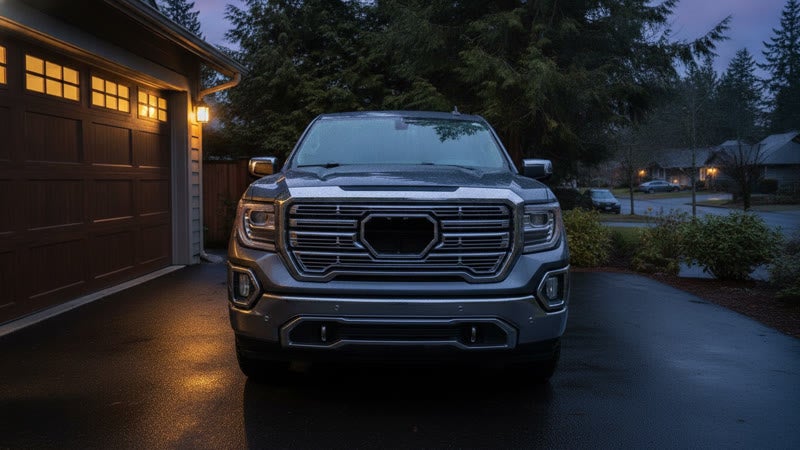
GMC Sierra truck parked in front of a garage

How to Program GMC Sierra Garage Door Opener

If you are trying to figure out how to program GMC Sierra garage door opener controls, start with the system that is actually in your truck. Many Sierra 1500 models use three Universal Remote buttons in the overhead console. Newer GMC vehicles can instead use a Universal Garage Door Opener icon in the center display. The two paths are not interchangeable, and the steps in your owner’s manual for that model year are the ones to follow. Call (503) 513-4640 to ask about a GMC Sierra Confirm the Sierra is equipped before you start Match the control you actually see before you follow a set of steps. Control Location Steps Three buttons Overhead console That model year's manual. Screen icon Center display GMC's on-screen prompts. Neither Not equipped Use the handheld remote. Three Universal Remote buttons in the overhead console are the 2024 and 2026 Sierra 1500 setup when the truck has them. A Universal Remotes icon lives in the center display under Controls, or in the Front Command Center. If you see neither, the truck is not equipped. Not every Sierra leaves the factory with a built-in opener. On the 2024 and 2026 GMC Sierra 1500 owner’s manuals, the Universal Remote is listed as “if equipped,” and the buttons sit in the overhead console. The system can stand in for up to three handheld remotes, including a garage door opener, a gate, or some home devices. If you do not see those buttons, check the center display for a Universal Remotes control. GMC’s current support page describes a screen-based Universal Garage Door Opener that can replace up to eight physical remotes and is opened from Controls, then Universal Remotes. Some models put that icon in the Front Command Center instead. If neither control is there, the truck does not have the feature, and a handheld remote or a separate transmitter is the path that remains. Also look at the opener on the ceiling of the garage. GMC says not to use the Universal Remote with any garage door opener that lacks the stop-and-reverse feature, including opener models manufactured before April 1, 1982. That limit is a safety rule, not a programming trick. Get the truck, the remote, and the doorway ready Both GMC and HomeLink treat this as a timed procedure. Read the section in your manual once before you press anything, and have a second person nearby if you can. A helper is useful once you have to reach the motor unit. Park outside, in line with and facing the garage door opener receiver, with a clear path between the truck and the motor. Move people, pets, and objects away from the door. Put a fresh battery in the handheld transmitter that came with the opener. A weak battery is a common reason the truck never finds the signal. Keep that original remote. The 2026 Sierra 1500 manual says to keep it for other vehicles and for future programming. HomeLink, which supplies the in-vehicle system GMC points owners to, also says compatibility is not guaranteed with every opener or in every location. If your opener brand is unusual, use the model-specific videos on the HomeLink page for GMC after you try the steps in the manual. How to program GMC Sierra garage door opener buttons This is the path in the 2024 and 2026 GMC Sierra 1500 owner’s manuals. The wording shifts slightly between those years, so match the press-and-hold sequence to your book. The shape of the job is the same. Hold the end of the handheld transmitter about 1 to 3 inches (3 to 8 cm) from the Universal Remote buttons, with the indicator light in view. Press and hold the handheld button and one of the three Universal Remote buttons at the same time. On the 2024 manual, you press and release the truck button first, then press and hold the handheld button. On the 2026 manual, you hold both together. Do not let go until the indicator light changes from a slow flash to a rapid flash or a solid light. Then release. Press and hold the newly programmed truck button for five seconds and watch the light and the door. If the light stays on, or the door moves, programming is complete. You can skip the Learn or Smart button steps. If the light flashes quickly and the door does not move, you almost certainly have a rolling-code opener and still need the motor-unit step below. Some gate operators time out too fast for the truck to learn the signal. If the first attempt fails, the manual may point you to “Radio Signals for Some Gate Operators.” Use that version instead of the paired press. Hold the Universal Remote button. Press and release the handheld button every two seconds until the truck light changes from a slow flash to a rapid flash or a solid light. Then continue with the five-second test. Finish a rolling-code opener with the Learn or Smart button Rolling-code openers change the signal so a copied remote cannot keep working. After the truck has learned the handheld remote, you still have to introduce the truck to the motor. Find the Learn or Smart button on the opener receiver inside the garage, often near the antenna wire. The name and color vary by brand. Use a sturdy ladder. Do not stand on the truck. Press and release that button. On the 2026 Sierra 1500 manual, you then have about 30 seconds to get back to the truck. Firmly press and hold the trained Universal Remote button for two seconds, then release. Repeat that press-hold-release up to three times. The door should move. If it does not, repeat the Learn or Smart sequence. The window is short, which is why a second person helps. GMC’s screen-based instructions use the same idea. After you choose “It Didn’t Work,” press Learn or Smart on the receiver, then tap Test on the display. You may need to tap Test more than once before the door moves. Use the center display when your Sierra has no overhead buttons If your controls live on the screen, follow GMC’s Universal Garage Door Opener instructions instead of the overhead-button steps. Park outside with a clear path to the receiver, bring the handheld remote with a fresh battery, and open Controls, then Universal Remotes. You may need See More Controls, or the Front Command Center on some models. Tap Add Remote. If the opener came with a handheld transmitter, select Yes. Hold that transmitter about 1 to 3 inches from the rearview mirror and keep the button pressed until the display says Signal Found. Then choose Test. If the door moves, select It Worked. If it does not, select It Didn’t Work and complete the Learn or Smart button steps on the screen prompts. Once it works, tap the pencil icon and rename the remote so you can tell the garage from a gate. After that, you open the door by tapping the icon. GMC notes that the icon can also appear on the rear camera view when the truck is in Reverse. Erase or reprogram one button Sell the truck, or hand the keys to someone else, and clear the buttons first. The 2026 Sierra 1500 manual says to erase all programmed buttons when ownership ends. Press and hold the two outside buttons until the indicator light starts to flash, about 10 seconds, then release both. That clears every button, not just one. To redo a single button without wiping the others, press and hold that one button and do not release it. After about 20 seconds the light begins to flash. Still holding the button, go back to step 1 of the programming procedure in the manual. In daily use, press and hold the programmed button for at least half a second. The indicator light comes on while the signal is sending. If a button that used to work goes quiet after a power outage at the house or a new opener motor, train it again rather than assuming the truck failed. When the door still will not move Work the simple checks before you assume the Sierra is the problem. The handheld remote itself should still open the door. If it does not, replace its battery or repair the opener before you program the truck. Confirm you are pressing the truck button you just trained, and hold it long enough to see the indicator light. On a rolling-code unit, redo the Learn or Smart press and get back to the truck inside the time limit. One late press is enough to fail the whole attempt. Move the handheld remote closer, about 1 to 3 inches, and try again. Metal, a sunshade, or a hand covering the buttons can block the signal. Check that the opener has the stop-and-reverse feature. Older openers are outside what GMC says to program. If the door still sits still, use the help line printed in the manual: HomeLink self-help videos at homelink.com/gm, or 1-800-355-3515. Calls from outside the U.S., Canada, or Puerto Rico can incur international rates. Bring the model year and the opener brand with you so the steps match the truck. How Auto Town GMC can help from Gladstone Auto Town GMC is on SE McLoughlin Boulevard in Gladstone and sells new GMC trucks, including the Sierra 1500, plus used vehicles. Shoppers from Portland, Milwaukie, Oregon City, Lake Oswego, and the rest of Clackamas County can compare a Sierra in person. Look at the console and see whether that truck has overhead buttons or the screen control before you take it home. Sales is open Monday through Saturday from 9:00 a.m. to 7:00 p.m. and Sunday from 10:00 a.m. to 7:00 p.m. Programming a garage door opener is an owner step, not a repair we perform on the driveway. If a button, the overhead console, or the infotainment screen is not responding at all, that is a different question. Our service department can look at the truck. Service and parts hours are Monday through Friday from 7:30 a.m. to 6:00 p.m. and Saturday from 8:00 a.m. to 4:00 p.m. Call Auto Town GMC at (503) 513-4640. You can also schedule service or order parts if a visit turns into a parts need. If you are still shopping, a test drive is the clean way to confirm the opener controls on the exact Sierra you want. Financing is handled at the dealership. You can get pre-qualified online, or call (503) 513-4640 and ask for the sales team. Schedule a test drive in a GMC Sierra 1500 Frequently asked questions Where is the garage door button in a GMC Sierra? On the 2024 and 2026 Sierra 1500, the Universal Remote buttons are in the overhead console when the truck is equipped with them. Other GMC models put a Universal Remotes icon in the center display under Controls. Check both places, then the owner’s manual for that model year. Why does the light flash but the garage door stay shut? A rapid flash with no door movement usually means the opener uses a rolling code. Train the handheld remote first, then press the Learn or Smart button on the motor and return to the truck within the time window in the manual, about 30 seconds on the 2026 Sierra 1500. Can I program a Sierra without the old garage remote? The button procedure in the Sierra 1500 manuals starts with the handheld transmitter. GMC’s screen instructions include an alternate path if you answer that the opener did not come with one. Follow the prompts for your truck, or the HomeLink steps for your opener brand. Do not invent a work-around for an opener built before April 1, 1982, or one without stop-and-reverse. How do I clear the buttons before I sell the truck? Press and hold the two outside Universal Remote buttons until the indicator light flashes, about 10 seconds, then release them. That erases all programmed buttons. To change only one button, hold that button until the light flashes after about 20 seconds, keep holding it, and start the programming steps again. Will Auto Town program the opener for me? The programming steps are meant for the owner at the garage, with the handheld remote and, if needed, the Learn button on the motor. If the overhead buttons or the display control do not respond, call Auto Town GMC at (503) 513-4640 or schedule a visit. If you are buying a Sierra and want to confirm the truck has the feature, schedule a test drive and look at the console before you decide.